
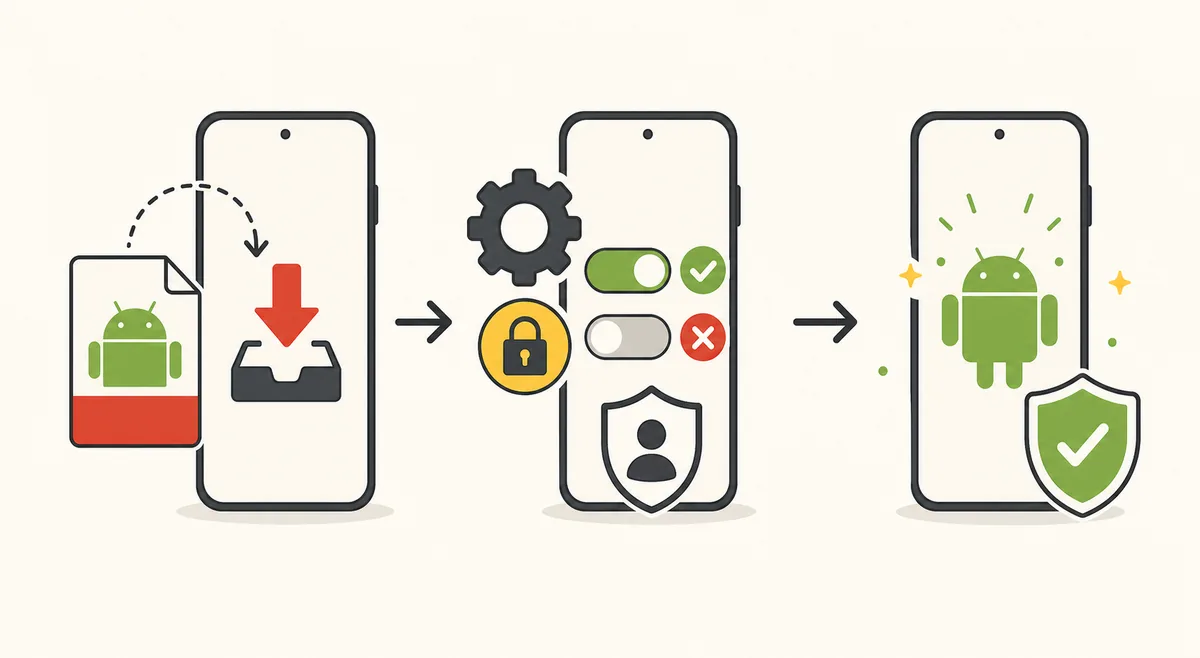
What safe means for an APK
APK safety is not one binary property. A file can have no current malware detections yet still collect excessive data, serve deceptive advertising, distribute unlicensed content, use an unknown publisher, or change behavior through remote code and configuration. A legitimate app can also be repackaged by someone else under the same visible name.
A responsible review asks several narrower questions: Is this the file the publisher released? Is the publisher identifiable? Has the signing certificate remained consistent? Does the manifest match the app's purpose? Are permissions proportionate? Do scanners detect known threats? Does network behavior match the stated service? Is the distribution lawful in the user's region?
The answer can change between versions and sources. Never transfer a safety conclusion from one hash to another file simply because both filenames contain Tomato and 1.4.3.
Tomato APK verification checklist
Use this checklist before installation. A missing field does not automatically prove malware, but several missing fields mean the file cannot be identified with enough confidence for a direct download recommendation.
- 1
Trace the source
Prefer a developer-controlled release page, established app store, signed repository, or documented first-party distribution channel. Record redirects and the final file host.
- 2
Calculate the SHA-256
Publish and compare a cryptographic hash for the exact file. A single-byte change produces a different value.
- 3
Inspect the signing certificate
Compare the signer fingerprint with an earlier trusted release. A mismatch breaks the normal Android update relationship.
- 4
Read package metadata
Confirm package name, version code, minimum SDK, architectures, exported components, update URL, and declared features.
- 5
Review permissions
Map each requested permission to a visible feature. Treat contacts, SMS, calls, accessibility, device admin, and broad file access as high-risk without a precise reason.
- 6
Use multi-engine scanning carefully
Record scan date and hash. Investigate detections, but do not call zero detections a guarantee.
- 7
Test network and runtime behavior
Use a non-sensitive profile, monitor unexpected domains, background activity, battery use, overlays, notification spam, and attempts to install other packages.
Hash, signature, and package name explained
The SHA-256 identifies the exact file contents. If two downloads have the same SHA-256, they are byte-for-byte identical. If the values differ, they are different files even when their names and displayed versions match.
The Android signing certificate identifies the key used to sign the package. Android uses signing continuity when updating an installed app. A different certificate can mean a repackaged build, a publisher change, a lost key, or a deliberate migration. Each case needs documentation; it should never be hidden behind an instruction to uninstall the old app.
The package name identifies an Android application namespace, but it is not a security certificate. Third-party pages commonly claim com.tomatos.clientapp. That string should be extracted from the actual APK and paired with its signer, hash, and source before it becomes useful evidence.
| Evidence | What it tells you | What it does not prove alone |
|---|---|---|
| SHA-256 | Exact file identity | Publisher legitimacy or lawful content |
| Signing certificate | Signing-key relationship between packages | Current authorization without a source record |
| Package name | Android application namespace | That the uploader is the developer |
| File size | A quick mismatch signal | Byte identity or safety |
| Scanner result | Known detections at a specific time | Future behavior or complete safety |
| Website HTTPS | Encrypted connection to that domain | That the hosted file is authentic |
Permissions and privacy risks
Media apps often contact many domains for video, images, subtitles, analytics, advertising, and updates. Review whether the privacy policy names those purposes and provides account deletion or consent controls. Unknown background services and unexplained identifiers deserve attention even when malware scanners are quiet.
Grant optional permissions one at a time. A video or manga app normally should not need call logs, SMS, contacts, device administrator, or accessibility service access for basic playback and reading. On recent Android versions, prefer the system photo picker or limited media permission over unrestricted file access.
Do not enter a primary email password directly into an unknown app. Use supported federated sign-in only when the authorization page belongs to the expected provider, and use a separate account when publisher identity remains uncertain.
Why mod, cracked, and ad-free builds add risk
A modified APK is normally signed by someone other than the original publisher because the package contents changed. The modifier may remove ads, bypass a payment, alter network requests, add trackers, or inject entirely unrelated code. Users cannot rely on the original publisher's update chain or support process.
Searches for Tomato APK mod or Tomato without ads reflect a real user frustration, but an unknown modified build is not a safe solution. Use in-app settings, a verified paid option, a lawful alternative, or device-level notification controls instead of installing a repackaged file.
Cracked and bypass packages can also create copyright and account risks. TomatoAPK.wiki does not distribute them, explain how to bypass payments, or label them as official.
What would make Tomato APK safe to recommend?
A Tomato APK safe recommendation requires evidence for one exact file, not confidence in a brand name. The Tomato source must identify the publisher, the SHA-256 must match, and the signing certificate must connect to a documented release history. The manifest, permissions, libraries, scan date, and network behavior must also support a safe decision before any safe conclusion is published.
A Tomato APK safe recommendation remains version-specific and time-specific. A later Tomato package, changed signer, new permission, different host, or remote behavior requires another review. TomatoAPK.wiki therefore reports safe evidence status instead of applying a permanent badge. A safe result for one hash cannot make every Tomato APK download safe, and no safe conclusion transfers automatically to another file.
What to do after a suspicious install
Disconnect the app from sensitive accounts, revoke its permissions, and uninstall it. Review accessibility services, device administrator apps, VPNs, installed certificates, notification access, display-over-other-apps permission, battery exemptions, and the list of apps allowed to install packages. Remove anything you did not authorize.
Run an updated device scan and change passwords from a different trusted device if credentials may have been exposed. Review account sessions and enable multi-factor authentication. If the device shows persistent pop-ups, unknown administrators, redirected traffic, or repeated package installation, consider professional support or a factory reset after backing up essential personal files.
Keep the original APK hash, source URL, timestamp, screenshots, and scanner report for investigation. Do not upload sensitive personal data when submitting a sample to a public scanning service.
Official Android references
These primary references support the Android security and installation concepts used in this guide.
- Google Play Protect helpGoogle's explanation of app scanning, warnings, and Play Protect settings.
- Android app signingPrimary documentation for signing certificates and Android update continuity.
- Android permissions overviewPrimary documentation for runtime permissions and protected device data.
Tomato APK safety questions
Is Tomato APK safe to download?
We cannot certify an unverified file by name. Check the exact source, SHA-256, signing certificate, package manifest, permissions, scans, and runtime behavior.
Does VirusTotal prove an APK is safe?
No. It reports detections for one hash at one time. It may miss new threats, privacy issues, remote behavior, or unauthorized content.
Why does the signing certificate matter?
Android uses it to establish update continuity. A mismatch can indicate a modified package or different publisher and requires explanation.
Is Tomato APK mod safe?
A mod is changed and usually re-signed by a third party. It breaks the normal trust and update chain and can add code or alter network behavior.
Which permissions are suspicious for a media app?
Contacts, SMS, calls, accessibility, device administrator, install-packages capability, and unrestricted file access need a specific verified reason.
Why does TomatoAPK.wiki not show a safety badge?
A generic safe badge would overstate the evidence. The site will publish file-specific hashes, signatures, scan dates, and source records instead.